

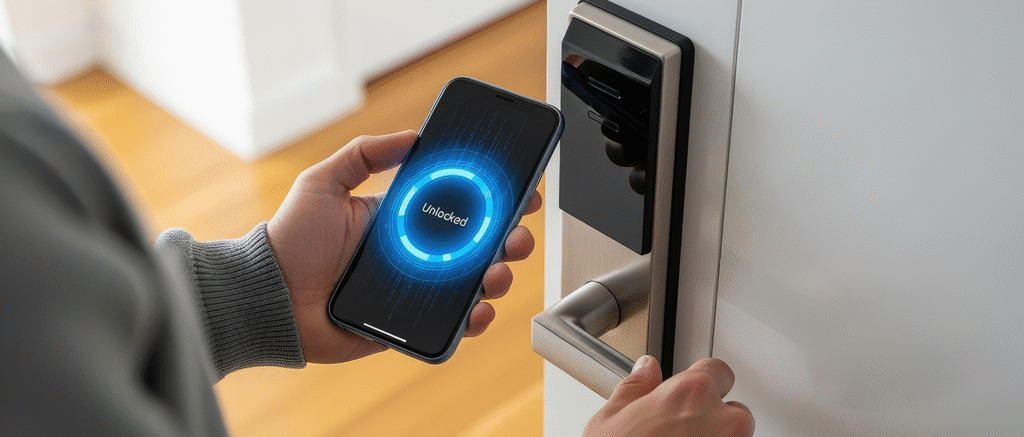
If you've ever searched "smart home door security," you've probably been overwhelmed with options. Smart locks, smart deadbolts, lock monitors, door sensors—what's the difference, and which one do you actually need?
This guide cuts through the confusion. We'll compare smart locks and lock monitors side by side, so you can decide which approach makes sense for your home, your lifestyle, and your security priorities.
The Fundamental Difference
Before diving into features and prices, let's clarify what these two product categories actually do:
🔐 Smart Lock
- Replaces your existing lock entirely
- Controls your door—can lock and unlock remotely
- Typically needs professional installation
- Requires hub/bridge for remote access
- Price range: £150-£400+
📱 Lock Monitor
- Fits over your existing lock
- Reports status only—shows locked/unlocked
- DIY installation in minutes
- Hub included for remote access
- Price range: £60-£100
In short: a smart lock controls your door; a lock monitor tells you about your door. They solve different problems, and the right choice depends on what problem you're trying to solve.
Feature-by-Feature Comparison
| Feature | Smart Lock | Lock Monitor |
|---|---|---|
| Check lock status remotely | ✅ Yes | ✅ Yes |
| Lock/unlock remotely | ✅ Yes | ❌ No (status only) |
| Keep existing keys | ❌ Usually not | ✅ Yes |
| Keep existing lock | ❌ No (replacement) | ✅ Yes (retrofit) |
| Installation | Professional recommended | DIY, peel-and-stick |
| Renter-friendly | ❌ Usually not | ✅ Yes |
| Remote hacking risk | ⚠️ Possible | ❌ None (can't unlock) |
| Battery life | 3-6 months typical | 12+ months typical |
| Typical price (with hub) | £250-£450 | £60-£100 |
When a Smart Lock Makes Sense
Smart locks are the right choice if you genuinely need remote control of your door. Common scenarios include:
- Airbnb or rental properties: Creating and revoking access codes for guests without physical key handover.
- Letting in tradespeople: Giving the plumber access while you're at work, then revoking it afterward.
- Keyless convenience: Never carrying keys—using codes, fingerprints, or phone to enter.
- Multiple family members: Everyone has their own code; you can see who entered when.
- Forgetful locking: Auto-lock features ensure the door locks itself after you leave.
If these scenarios describe your life, a smart lock is worth the investment and the installation hassle.
When a Lock Monitor Makes More Sense
Lock monitors solve a different problem: the need to know rather than control. They're ideal if:
- You just want peace of mind: The main issue is wondering "did I lock the door?" not needing to unlock it remotely.
- You're renting: You can't replace the lock, but you can add a monitor.
- You're concerned about security: No remote unlocking means no hacking risk.
- You prefer your existing lock: Maybe you've got a high-quality British Standard lock you trust.
- Budget matters: A monitor costs a fraction of a smart lock system.
- You want family visibility: Check that elderly parents or kids have locked up without taking over their door.
The privacy angle: Many people are uncomfortable with the idea that their front door could be unlocked via the internet. Even with good security practices, remote unlock capability introduces a risk that simply doesn't exist with a monitor-only approach.
The Security Question
This deserves special attention. Smart locks are generally secure when properly configured, but they do introduce attack vectors that traditional locks don't have:
Potential Smart Lock Vulnerabilities
- Account compromise: If someone gains access to your smart home account, they may be able to unlock your door.
- Bluetooth vulnerabilities: Some locks have been shown to have Bluetooth security weaknesses.
- WiFi dependency: If your network is compromised, connected devices are at risk.
- Manufacturer security: You're trusting the lock company's security practices and update policies.
Lock Monitor Security Model
A lock monitor has a fundamentally different security profile:
- It cannot unlock your door—there's no mechanism to do so.
- The worst case if compromised: someone knows whether your door is locked.
- Your physical security remains unchanged from a traditional lock.
For people who prioritise security over convenience, this distinction matters enormously.
Installation Compared
Smart Lock Installation
Typically involves:
- Removing your existing deadbolt
- Installing new lock hardware (interior and exterior)
- Setting up a hub/bridge (often sold separately)
- Connecting to WiFi and creating accounts
- Configuration and testing
Total time: 1-2 hours minimum; many people hire an installer (£50-£100 additional).
Lock Monitor Installation
Typically involves:
- Plugging in the hub
- Sticking the sensor near your existing lock
- Attaching a small magnet to the thumb-turn or key
- Connecting via app
Total time: 10-15 minutes. No tools required.
💡 The Renter Consideration
If you're renting, smart locks are usually off the table—landlords rarely allow lock replacement. Lock monitors, being non-destructive and removable, work perfectly in rental situations. You can take it with you when you move.
So, Which Should You Choose?
Ask yourself these questions:
- Do I need to unlock the door remotely? If yes → Smart lock. If no → Lock monitor is sufficient.
- Am I renting? If yes → Lock monitor (or check with landlord).
- Am I concerned about hack risks? If yes → Lock monitor eliminates this concern.
- Is my main problem just not knowing if I locked up? If yes → Lock monitor solves this perfectly.
- Do I have elderly parents I want to check on? Lock monitor lets you see their status without controlling their door.
Just Want to Know It's Locked?
Locksure gives you the peace of mind of knowing your door status—without replacing your lock or adding remote unlock risk.
Shop Locksure →Final Thoughts
Smart locks and lock monitors both have their place. Smart locks offer powerful convenience and control features, but come with higher costs, installation complexity, and potential security trade-offs.
Lock monitors offer a simpler proposition: know your door status, keep your existing lock, eliminate the "did I lock it?" anxiety. For many households, that's all they need—and at a fraction of the price.
The right choice is the one that solves your actual problem.