Matter / practical details
Check the setup.
Keep the lock.
A guide to what connects, what fits and what the monitor does.
Locksure reports lock state. It cannot lock or unlock a door.
Back to the product page ↗Connection
Two roles. Check the exact model.
Locksure Matter uses Thread. You need a Matter controller in your chosen platform and a Thread border router. These can be in the same device. The following examples describe manufacturer hardware capabilities, not a completed test of every Locksure firmware/platform combination.
| Platform | Example | Check |
|---|---|---|
| Apple Home | HomePod mini; HomePod 2nd generation; Apple TV 4K 2nd generation; Apple TV 4K 3rd generation Wi-Fi + Ethernet | The 3rd-generation Wi-Fi-only Apple TV is different. Apple guidance |
| Google Home | Nest Hub 2nd generation | A Nest Mini is not the same device. Google guidance |
| Alexa | Echo 4th generation | Check the exact Echo model. A Thread-capable eero alone does not establish your complete Matter setup. Amazon guidance |
| SmartThings / Home Assistant | A supported Matter controller plus an appropriate Thread border router | Configuration and versions vary. Ask us to check your proposed setup. |
Platforms
The state is the same. The interface is not.
Apple Home, Google Home, Alexa, SmartThings and Home Assistant each present devices differently. Notifications, remote viewing, history, routines and permissions depend on platform configuration and connectivity.
Physical fit
Check your door against the diagrams.
Thumb Turn uses one monitor inside the door. Key Turn uses two monitors on one key-both-sides door. Start with the diagram for your version, checking the handle/backplate, cylinder and surrounding space. For Key Turn, check both sides of the door.
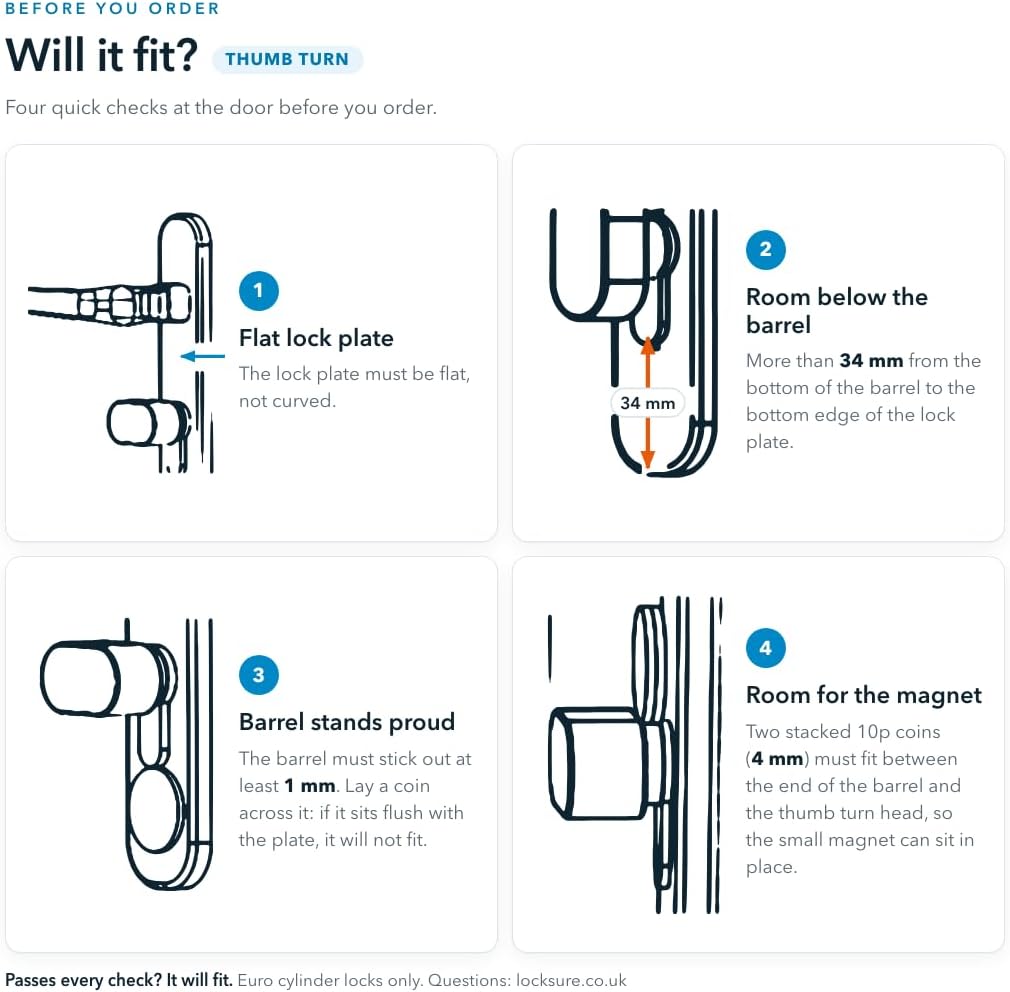
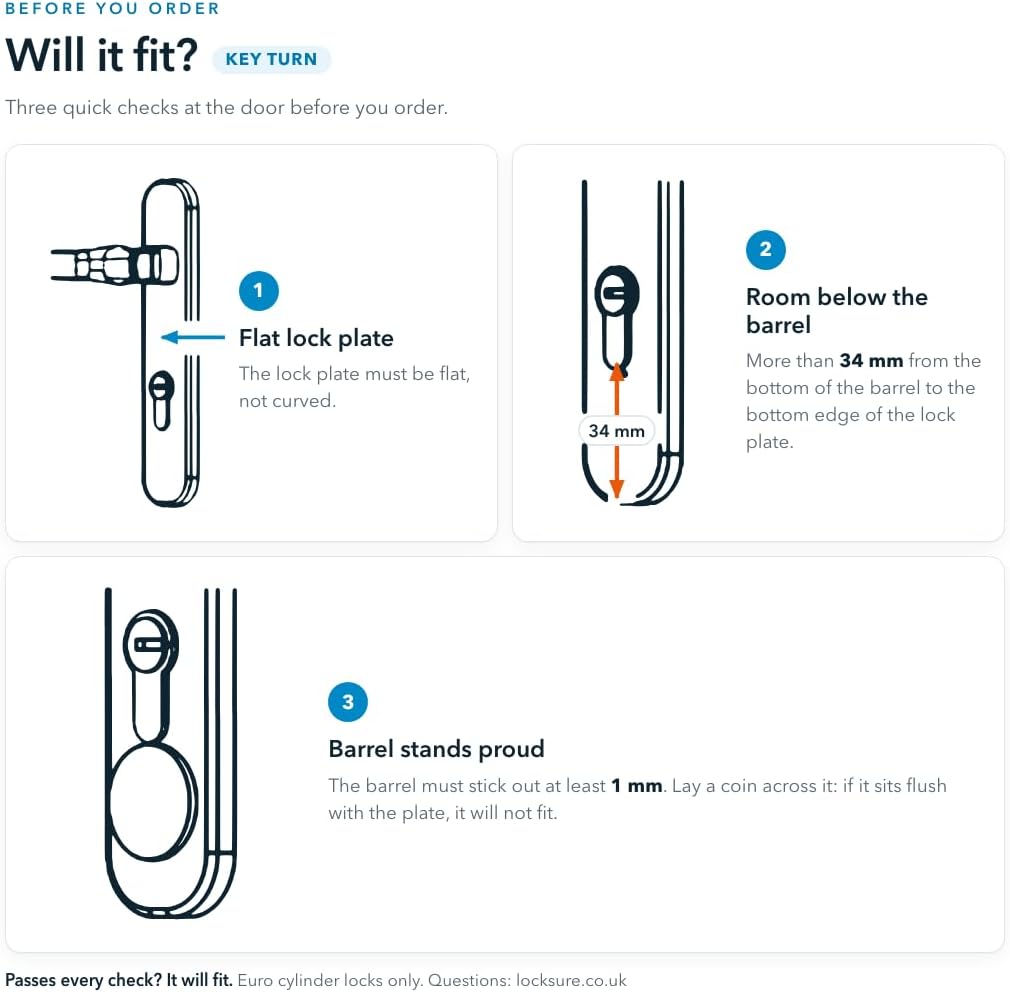
Look for a flat mounting surface and at least 34 mm of flat space below the cylinder. Also check cylinder protrusion and, for Thumb Turn, clearance for the sensing magnet. It is not a universal fit.
Still unsure after checking?
Use the question form to send your question and a clear photo of the lock, handle and surrounding space. Tell us which side of the door is shown.
Ask Locksure ↗Pairing
Use the instructions for the shipping firmware.
Add the sensor using your chosen home platform and its required controller/Thread setup. Keep the physical lock manually operable throughout setup.
Optional features
Magnet and display hub do different jobs.
The £9.99 Open/Close Magnet adds the door's open/closed state. Without it, the monitor still reports lock state.
The £34.99 optional Locksure Matter Hub adds a touchscreen, account sharing, geofence alerts and longer history through the Locksure route. It does not remove the required Matter controller/Thread setup.
LED flashes: cyan means locked, amber means unlocked. These are transient signals, not a permanent status lamp. Third-party apps may use different colours.
Check first. Buy with a clear answer.
Current release information
For instructions or release details for your monitor, ask Locksure using the question form. Include the version shown in your device settings.