


Retrofit Matter lock sensor
Matter door lock sensor for the lock you already have, from £69.99
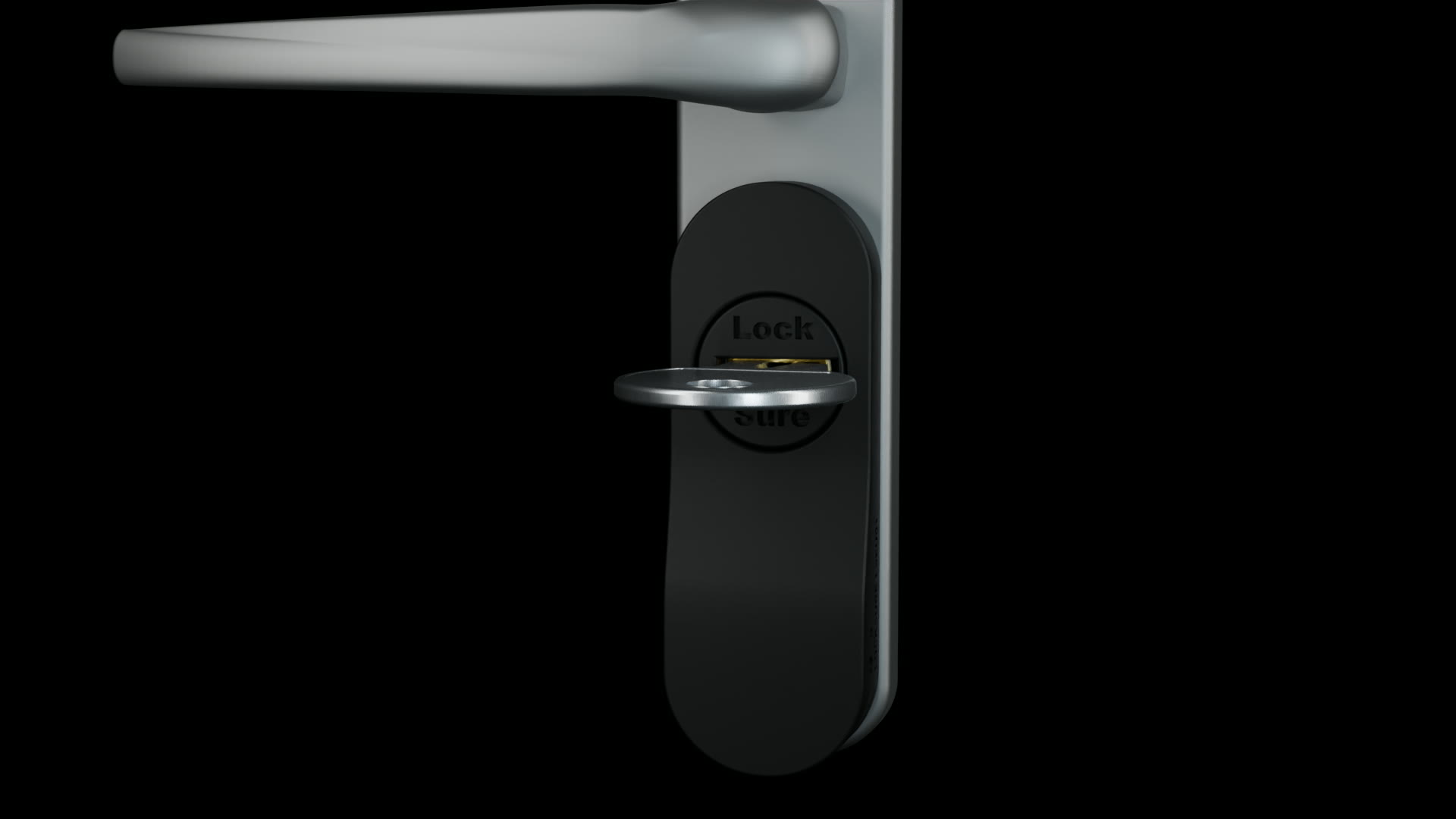
You lock. Locksure confirms.
Keep your existing lock. Check its state in your compatible smart home.
No motor. No remote locking or unlocking.
Works with Apple Home · Google Home · Alexa · SmartThings · Home Assistant
Needs one smart home hub, such as a HomePod mini, Nest Hub (2nd gen) or Echo (4th gen). See the full list
- Won't lock you out
- No motor to fail
- No drilling
- Keep your key
- Needs one smart home hub, which you may already have
of burglaries happen through unlocked doors
Know your door is locked, anytime, anywhere. Your insurance-rated lock stays exactly as it is.
Source: Office for National Statistics.01 / Your door
Which way do you lock it?
Choose by the inside of your door. Both kits keep your existing lock and keys.
Only monitors lock state. Cannot lock or unlock your door. Unsure? Ask us before ordering.
02 / Your home setup
You need one smart home hub. You may already have one.
Any one of these works as the hub on its own. Find the home app you use.
- Apple HomeHomePod mini, HomePod (2nd generation), Apple TV 4K (2nd generation, or 3rd generation Wi-Fi + Ethernet)
- Google HomeNest Hub (2nd gen), Nest Hub Max, Nest Wifi Pro, Google TV Streamer (4K), Google Home Speaker
- Amazon AlexaEcho (4th gen), Echo Show 8 (3rd gen), Echo Show 10 (3rd gen), Echo Show 15 (2nd gen), Echo Show 21, Echo Hub, Echo Studio, Echo Dot Max
- SmartThingsSmartThings Station, Aeotec Smart Home Hub, some Samsung TVs with a SmartThings hub built in
- Home AssistantHome Assistant Yellow, or any Home Assistant with a Connect ZBT-1 (SkyConnect) or ZBT-2, with Thread enabled
The hub is not included in the kit. Smaller speakers such as Echo Dot, Echo Pop and Nest Mini do not have Thread, so they need one of the hubs above alongside them.
The technical detail: the sensor needs a Matter controller with a Thread border router. Most of the hubs above do both. Exact model, current software and platform setup matter.
Do not have a compatible smart-home setup?
Consider the Original range, which uses a Locksure display hub and the Locksure app. It is a different connection route.
Original Thumb Turn starter pack · Original Key Turn starter pack
03 / Everyday use
Same turn. A clearer answer.
Fit the monitor
Attach it to a suitable euro-cylinder installation with the supplied adhesive. No drilling or lock replacement.
Add it to your home
Pair it with your home app through your smart home hub.
Lock as you normally do
Turn your key or thumb turn yourself. The monitor reports the lock state for you to check.
The device flashes cyan for locked and amber for unlocked. The lights do not stay on continuously. Connection and platform settings affect reporting.
04 / The answer on your phone
Locked is not the same as closed.
A door can be closed without being locked. Locksure reports the lock state, not just whether two parts of a contact sensor are together.
Add the optional Open/Close Magnet if you also want the door's open or closed state.
Genuine Apple Home screenshot shown. Google Home, Alexa, SmartThings and Home Assistant have their own interfaces. Alerts, history and routines depend on the platform, connectivity and settings.
Platform and setup details ↗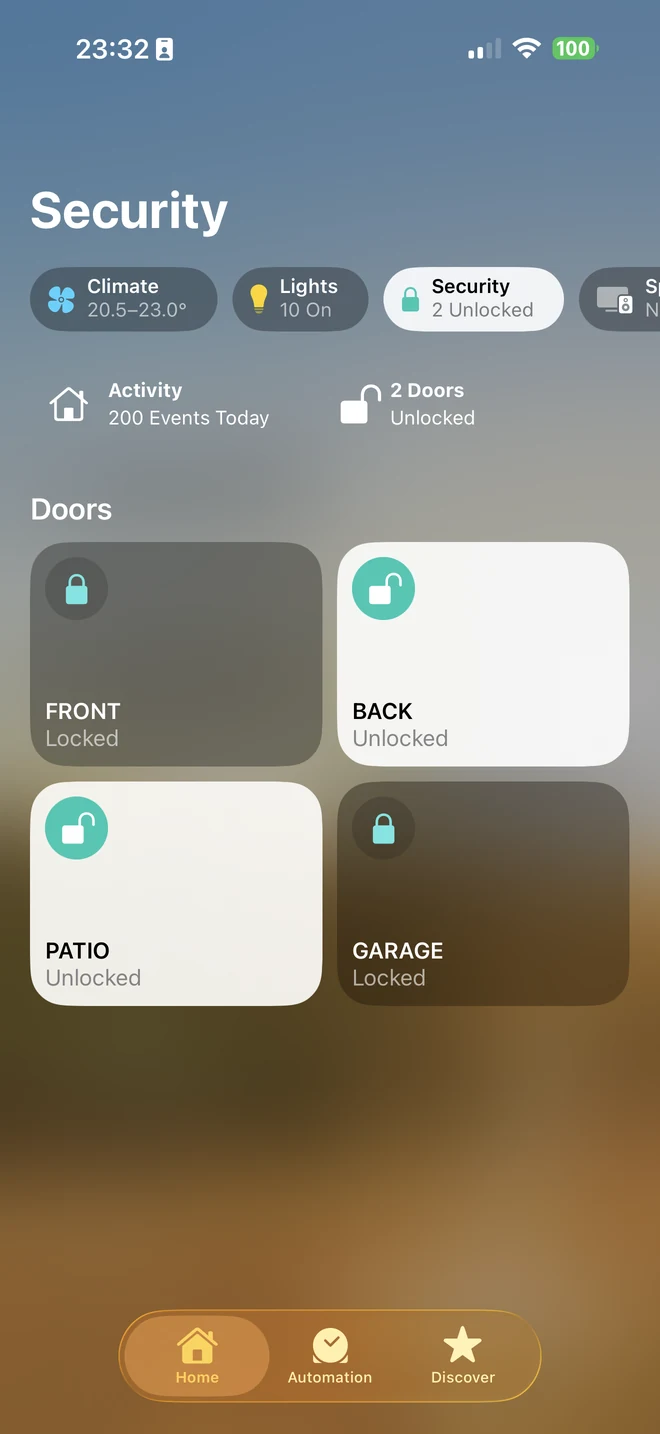
See Locksure Matter in action
Matter explainer · 1:51
05 / Check before you buy
Right lock. Right monitor.
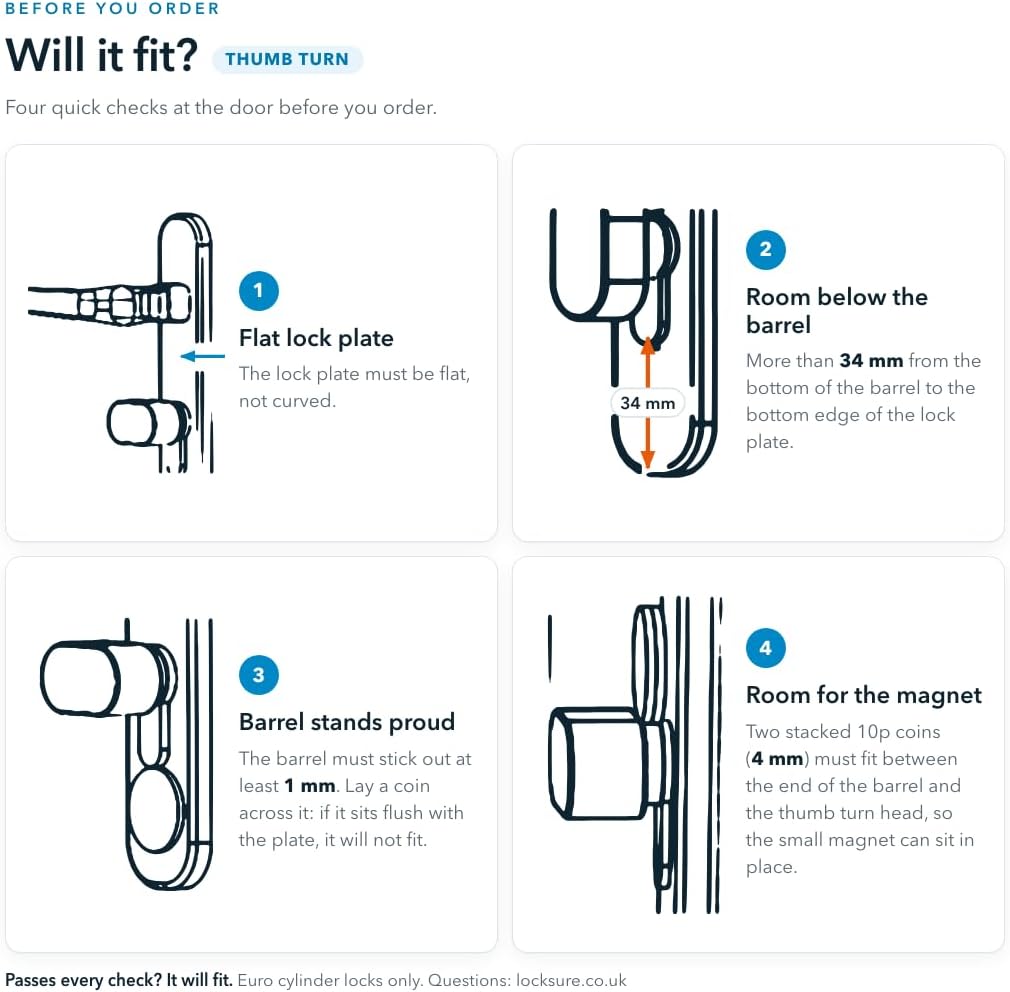
Designed for suitable euro-cylinder installations. It is not a universal fit.
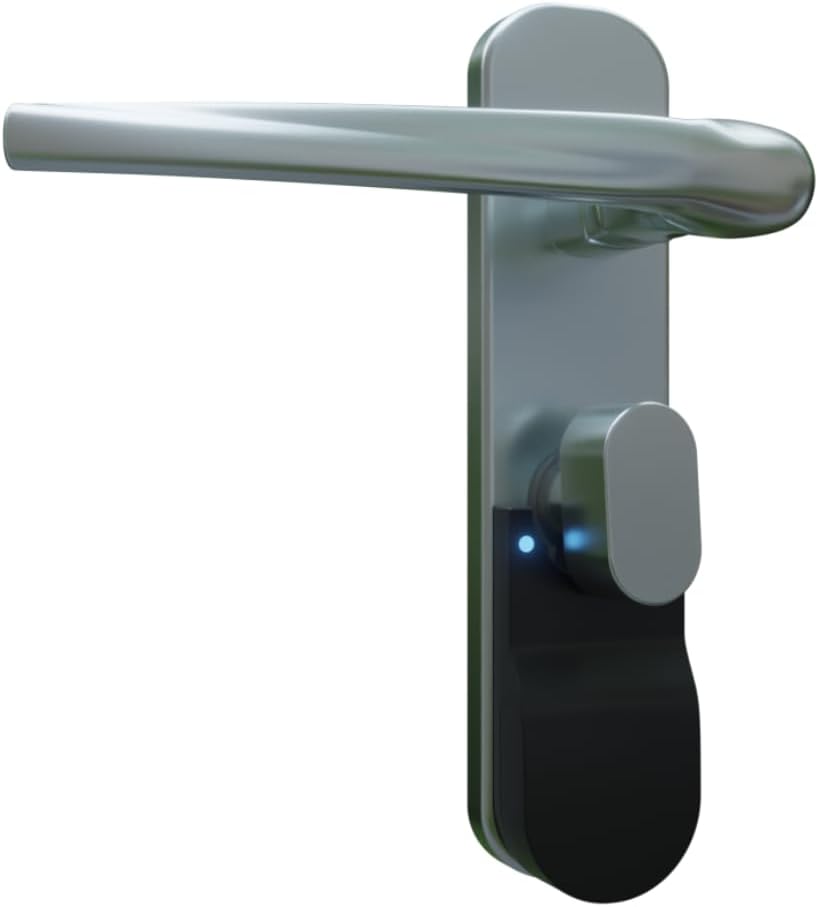
Matter Thumb Turn
One monitor inside your door. Your thumb turn stays in place. View full-size image ↗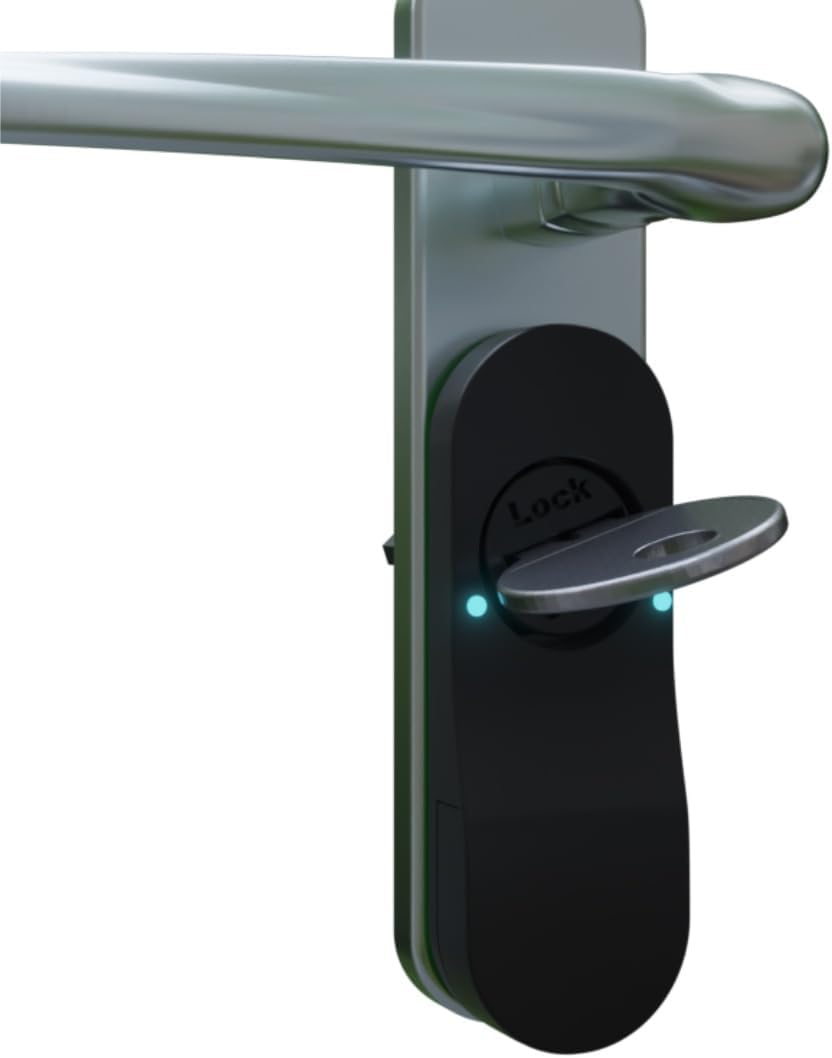
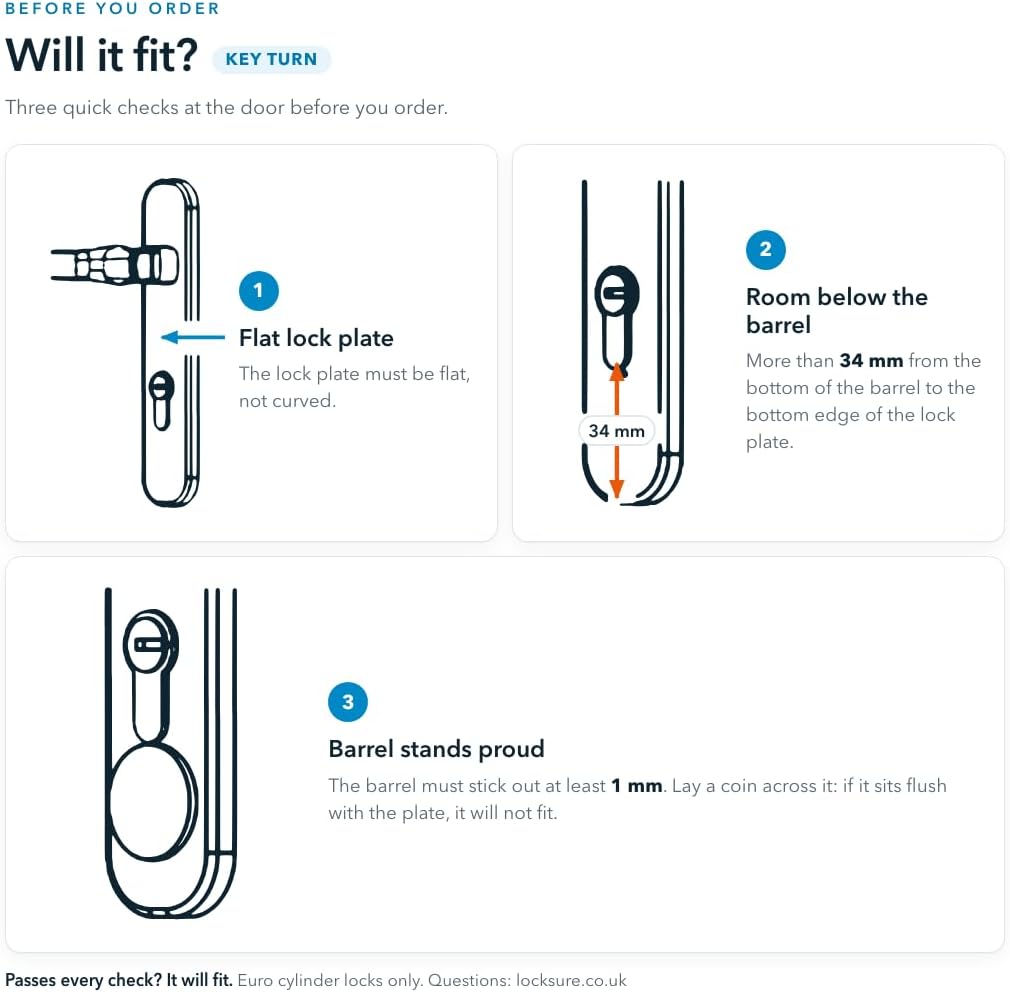
Matter Key Turn
Two monitors for both sides of one key-operated door. Your keys stay the same. View full-size image ↗Existing handle, cylinder, thumb turn and key shown to illustrate installation; not included.
Not sure what you have?
Send us clear photos of both sides of the door, including the handle, cylinder and surrounding space, plus the model of your home hub.
We can help identify the right version and check the installation before you order.
Ask us to check my door ↗Renting? Check that you have permission to attach the monitor.
Check for a flat mounting surface and at least 34 mm of flat space below the cylinder. Cylinder protrusion and thumb-turn clearance also matter; use the photo form below if unsure.
06 / Only if you need them
Optional extras. Not hidden requirements.
Optional Locksure Matter Hub
More reassurance, at home and away.
Your compatible Matter setup can report lock state without a Locksure Hub. Add the Hub for an at-a-glance touchscreen and more ways to stay informed through the Locksure app.
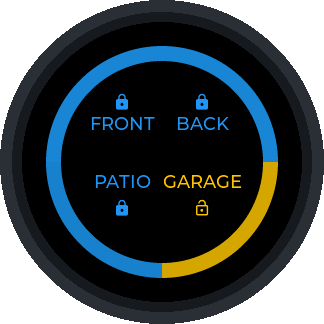
Touchscreen display
One glance. Up to four doors.
Before bed or on your way out, check your most important doors together on the round touchscreen. See which door needs attention without reaching for your phone. Adjust brightness and display options in the Locksure app.
Requires assigned, connected sensors. Door-position reporting also needs the optional magnet.
Door sharing across accounts
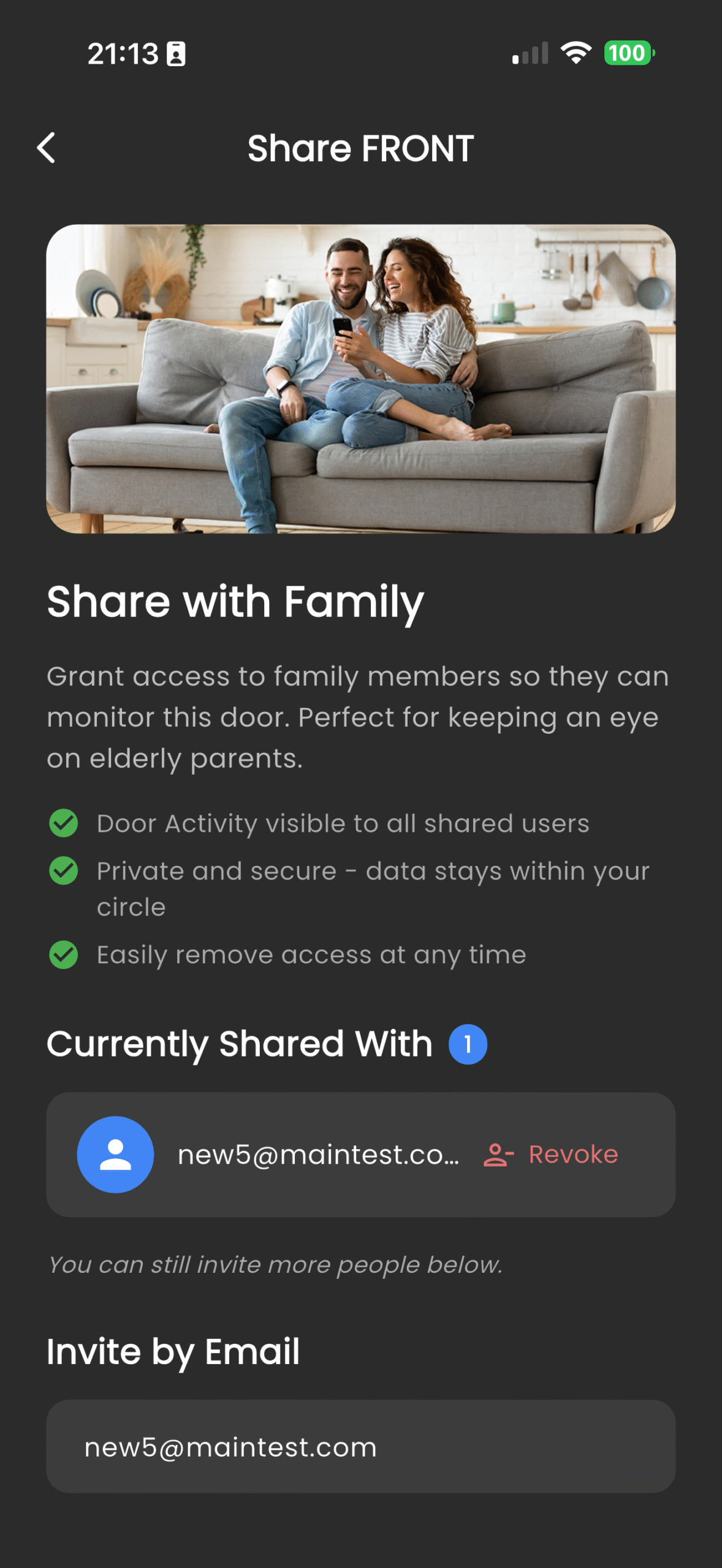
Share reassurance, not control of the lock.
Invite a family member by email to see a shared door’s reported state and history in their own Locksure account. Useful for keeping an eye on a parent’s door or sharing responsibility at home—even when you use different smart-home accounts. You can revoke access when you choose.
Requires a configured Locksure Matter Hub, internet connectivity and a recipient Locksure account. Sharing does not grant remote unlocking.
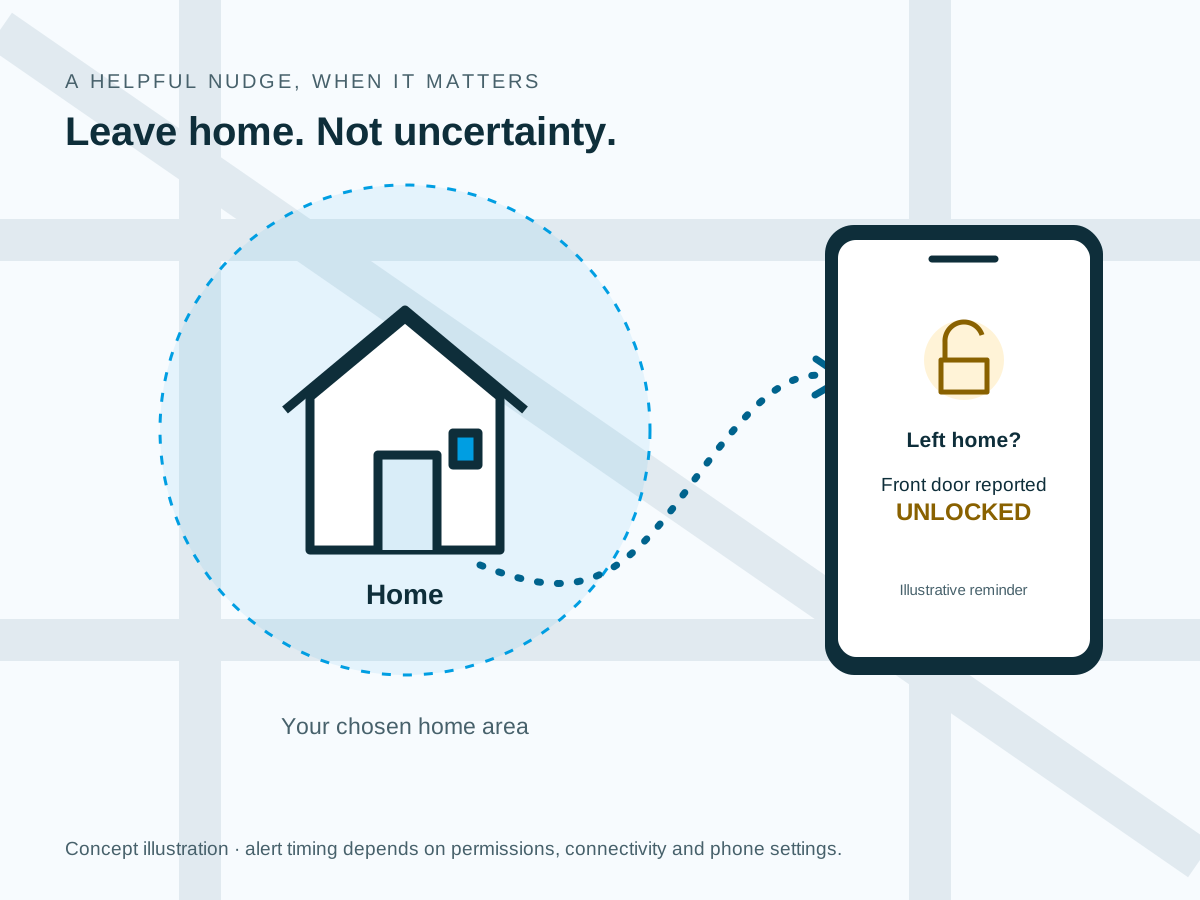
Left-home geofence alerts
A reminder when you have more on your mind.
Set your home location and a home-area radius in the Locksure app. If you leave that area while a door is reported unlocked, a push reminder gives you the chance to check before carrying on with your day.
Requires the Hub, connectivity, enabled notifications and background location permission. Timing depends on phone and operating-system settings; the alert does not lock your door.
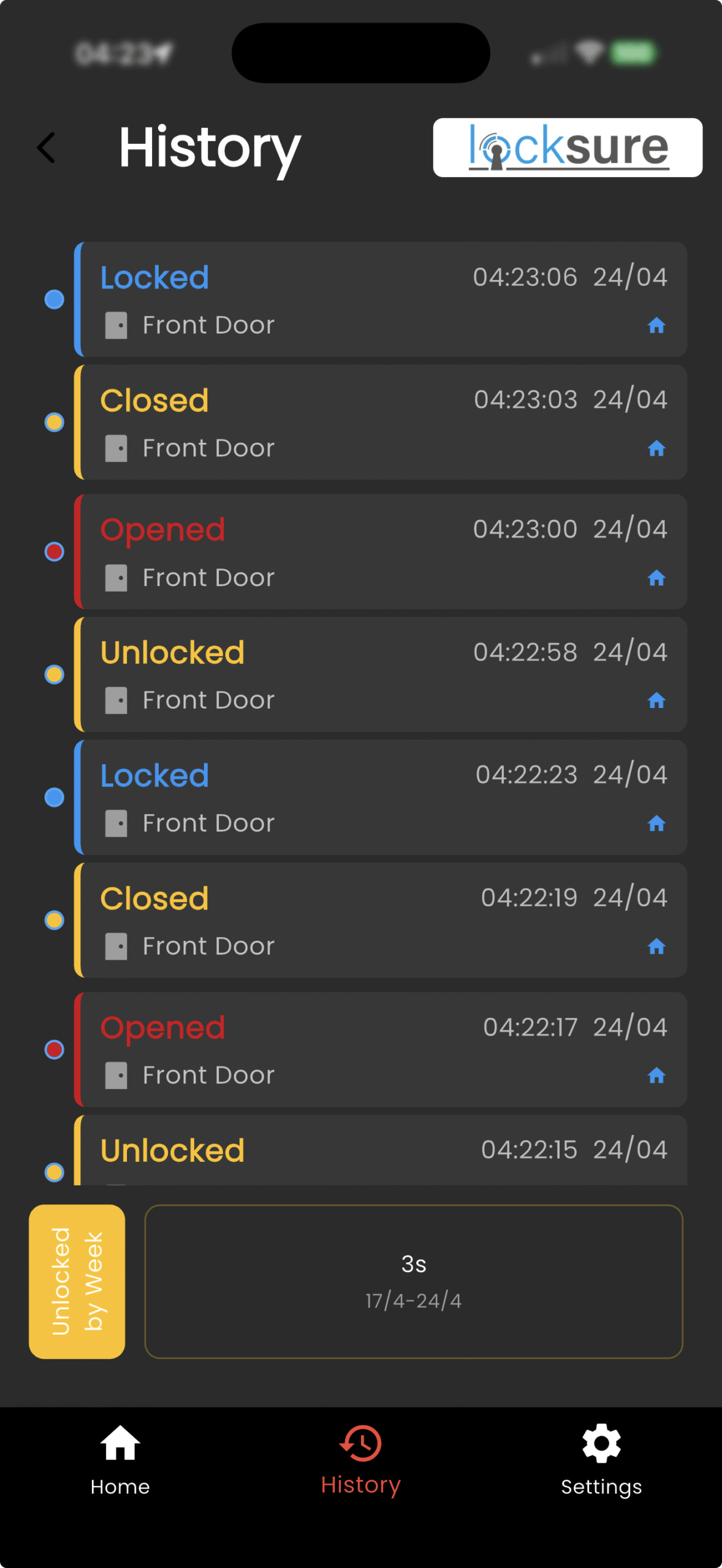
Longer event history
Look back, not just right now.
See when a door was reported locked or unlocked, rather than relying on memory. An online Hub keeps synchronising events into your Locksure account, providing a longer record than the sensor’s limited on-device history. With a magnet, you can also review open and close events.
Available history depends on successful synchronisation and account settings. Events show door activity, not the identity of the person using the door.
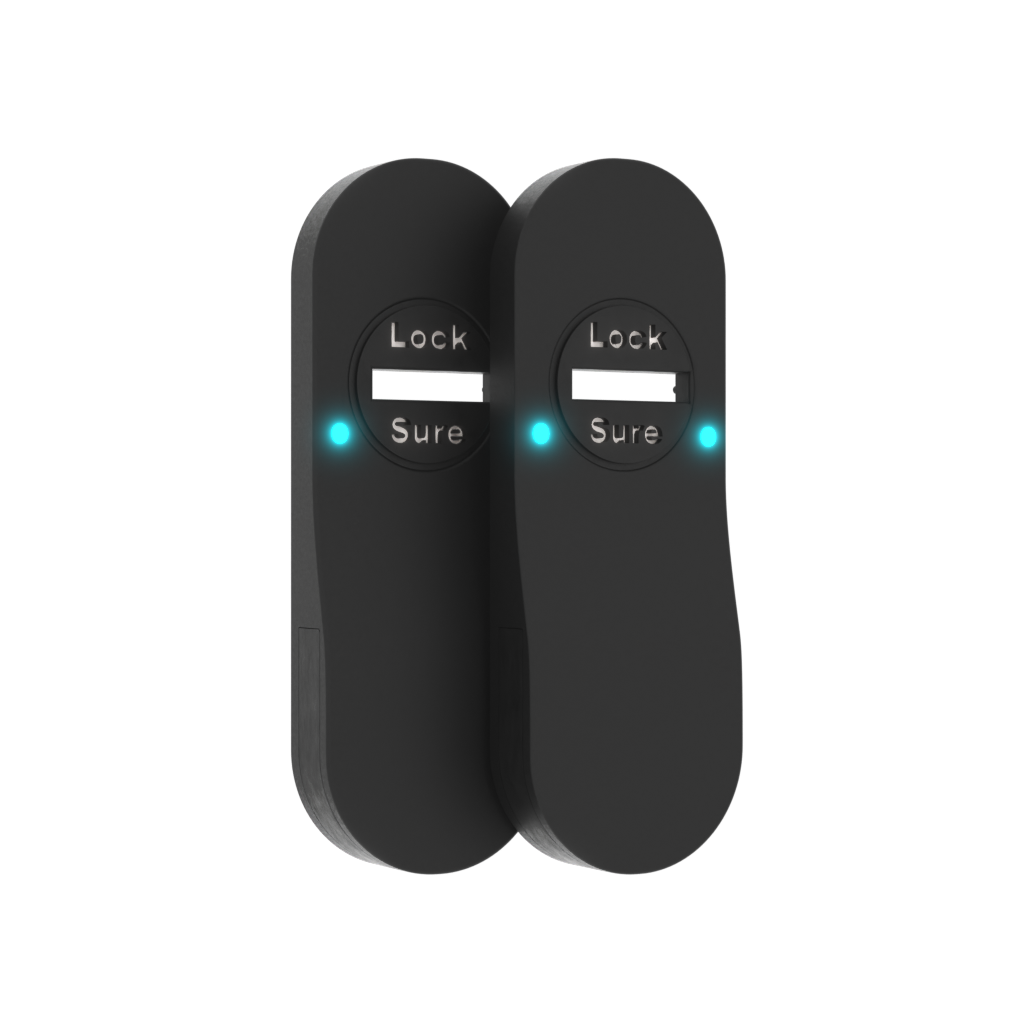
Key Turn same-door reporting
Two sides. One door to keep track of.
For a keyed-both-sides door, associate the inside and outside Matter sensors with one door in the Locksure app. The Hub brings their reported changes together so your Locksure view follows the door, whichever side was used.
Requires both sensors to be configured and assigned correctly. The way separate devices appear in third-party Matter apps is platform-dependent.
The Locksure Matter Hub is optional and is not a Thread border router. You still need your smart home hub. Setup guide.
Optional Open/Close Magnet
Closed is not the same as locked.
Your Locksure monitor reports the lock state. Add the magnet to also understand the position of the door—two different questions, answered together.
Door position, alongside lock state
Know whether the door was left ajar.
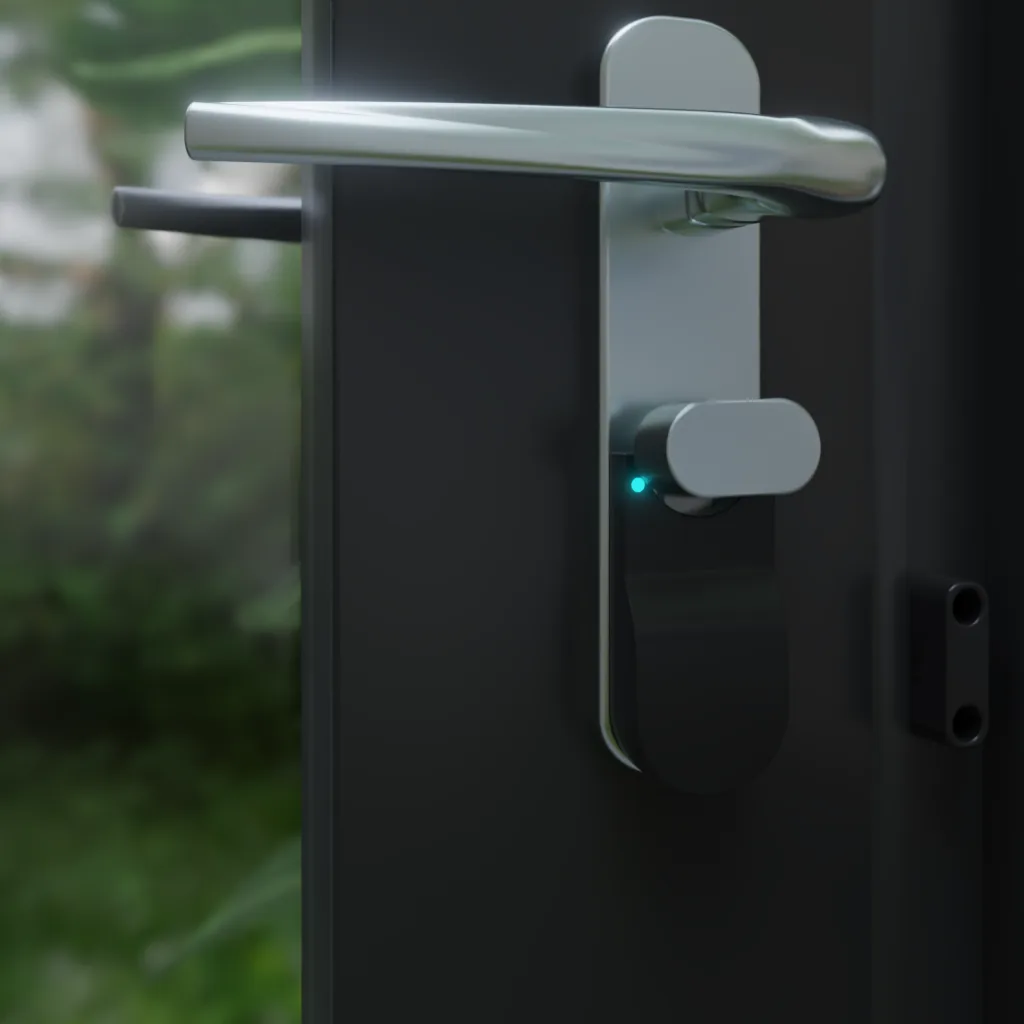
A door can be closed but unlocked. It can also be left open. The frame-mounted magnet lets a compatible Matter monitor report open and closed separately from locked and unlocked, so you can distinguish the two.
Requires a compatible Locksure Matter monitor and correct magnet alignment. The magnet is an accessory, not a standalone sensor.
£9.99
Delivery calculated at checkout.
Add a Matter sensor to your basket first, then add the magnet. Choose your sensor.
View Open/Close Magnet detailsUseful smart-home routines
Let a door opening do something useful.
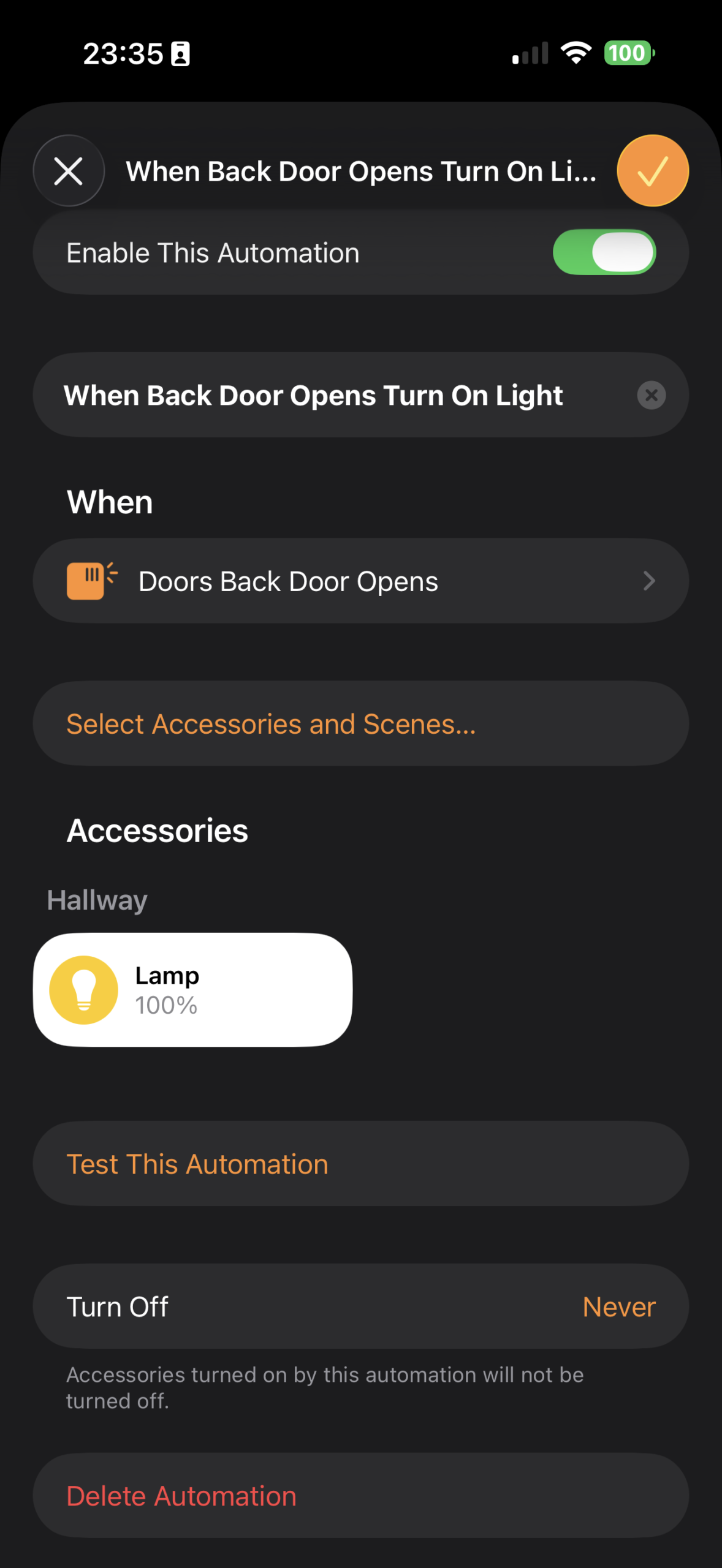
Use a door-open event as a trigger in a compatible smart-home platform—for example, switching on a hallway light when the door opens. The extra door-position state gives you information a lock-state reading alone cannot provide.
Routines and notifications need to be configured in your chosen platform. Available triggers and the way states are displayed vary by platform.
Simple addition
No extra battery. No separate radio.
The magnet mounts on the door frame using its adhesive pad and works with the sensor already on your door. There is no battery in the magnet to charge or replace, and it does not need to be commissioned as a separate wireless device.
Follow the placement and alignment instructions for your door. Lock monitoring still works without this optional accessory.
See installation guidanceExtras are sold separately. UK delivery is £3.99, free on orders of £85 or more. The smart home hub is not included in the monitor price.
07 / Good questions
Know what you are buying.
Can I lock or unlock the door with my phone?
No. Locksure has no motor. You operate your existing key or thumb turn; Locksure monitors and reports the state.
Does a Key Turn kit cover two doors?
No. It contains two sensors for the two sides of one key-both-sides door. Thumb Turn has one sensor, fitted inside only.
What if the connection is lost?
You can still use your physical lock and keys. The displayed state may not be current when the sensor or home platform is unreachable. Check the app's availability and update information rather than assuming a stale state is live.
Do I need the Locksure Hub?
Not for the Matter connection. You do need one smart home hub, such as a HomePod mini, Nest Hub (2nd gen) or Echo (4th gen). The optional Locksure Matter Hub adds its own display and app features.
What about battery life and physical fit?
Battery life depends on use and conditions. Contact us for the current specification and a fit check for your exact installation.
Ask a product questionWhere can I check support and purchase terms?
Read the existing purchase terms or contact Locksure before ordering if you have a question.
Brand track record: Shipping since Jan 2025, ~150 units in UK homes. This is Locksure's range-level statement, not a Matter-specific unit count.
Your lock, with an answer
You lock.
Locksure confirms.
Choose the right monitor for your door and home setup.
Looking for a guide from the earlier page? Setup requirements, physical installation, pairing and release information now have a separate guide.
Ask Locksure
Got a question?
Ask about fitting, which monitor suits your door, ecosystems or delivery. We reply by email. For a fit check, attach a clear photo of your lock and surrounding space.
Europe launch
Outside the UK?
Locksure is coming to Europe. Leave your email and we will tell you when it launches where you are.
This signup is separate from asking a product question.