

Apple Home lock sensor UK: what actually works with HomeKit
Apple Home has great lock support in theory - but if you've tried to buy a UK lock accessory that just tells you whether your door is locked, the options are surprisingly narrow. Here's the complete 2026 picture, with the catch that nobody explains upfront.
Apple Home supports Matter Door Lock devices natively since iOS 16.1. The UK market offers two categories: motorised smart locks (Yale Linus, Nuki, Bold, £130-£250) that replace your existing lock, and monitoring-only sensors (much rarer) that attach to your existing lock.
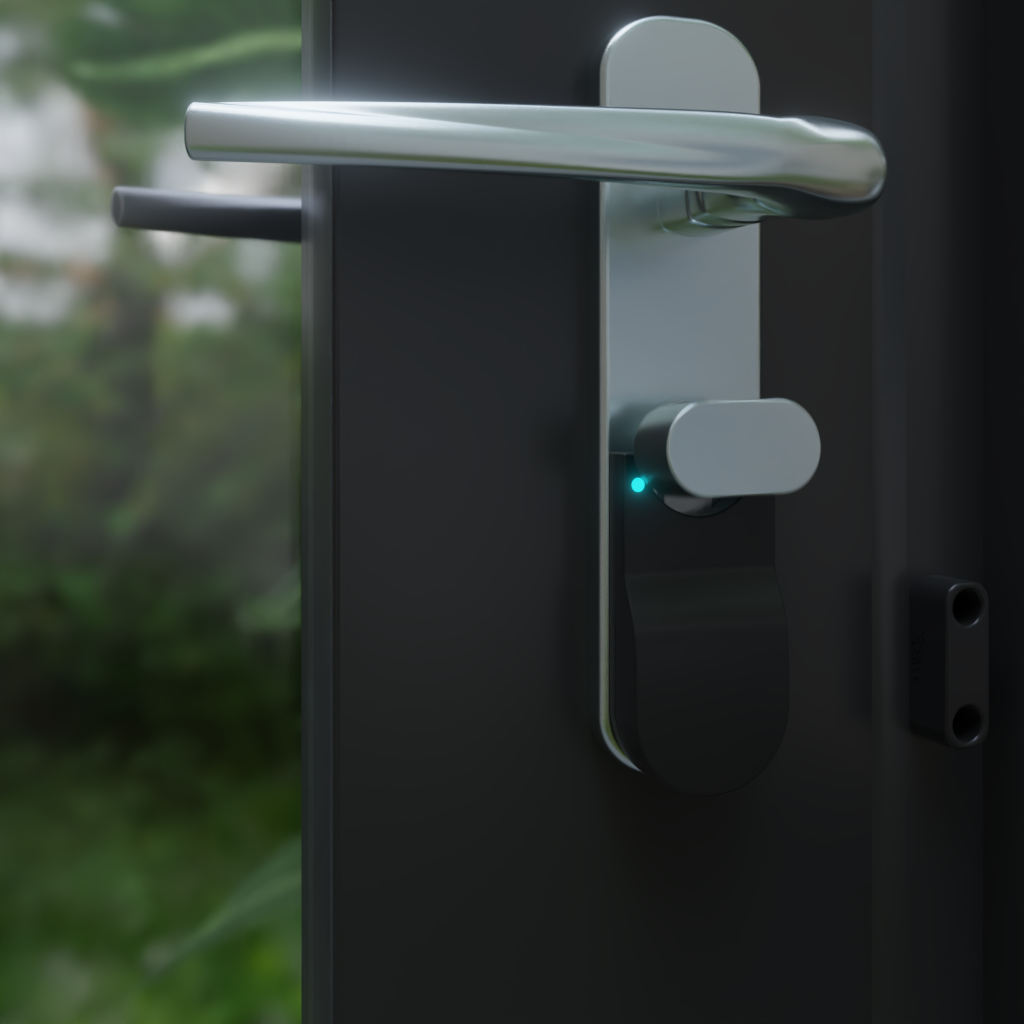
Until now, every Matter-compatible lock accessory on the UK market has been a smart lock replacement - nothing retrofits onto your existing cylinder or thumb-turn. That's the gap the Locksure Matter Lock Sensor fills, shipping now from £59.99.
If you've searched for an “Apple Home lock sensor” or “HomeKit lock status” and come away confused, it's for a good reason. Apple's own marketing around HomeKit locks is fairly sparse, most product listings confuse “smart locks” (motorised) with “lock sensors” (monitoring-only), and the UK availability of both categories is significantly worse than the US.
This post walks through what's actually available, what shows up in the Home app, and what you can automate - including voice commands through Siri, Focus Modes, and the nuanced privacy model Apple Home applies to lock state. By the end you'll know whether you need a full smart lock, a monitoring sensor, or both.
How Apple Home handles lock accessories
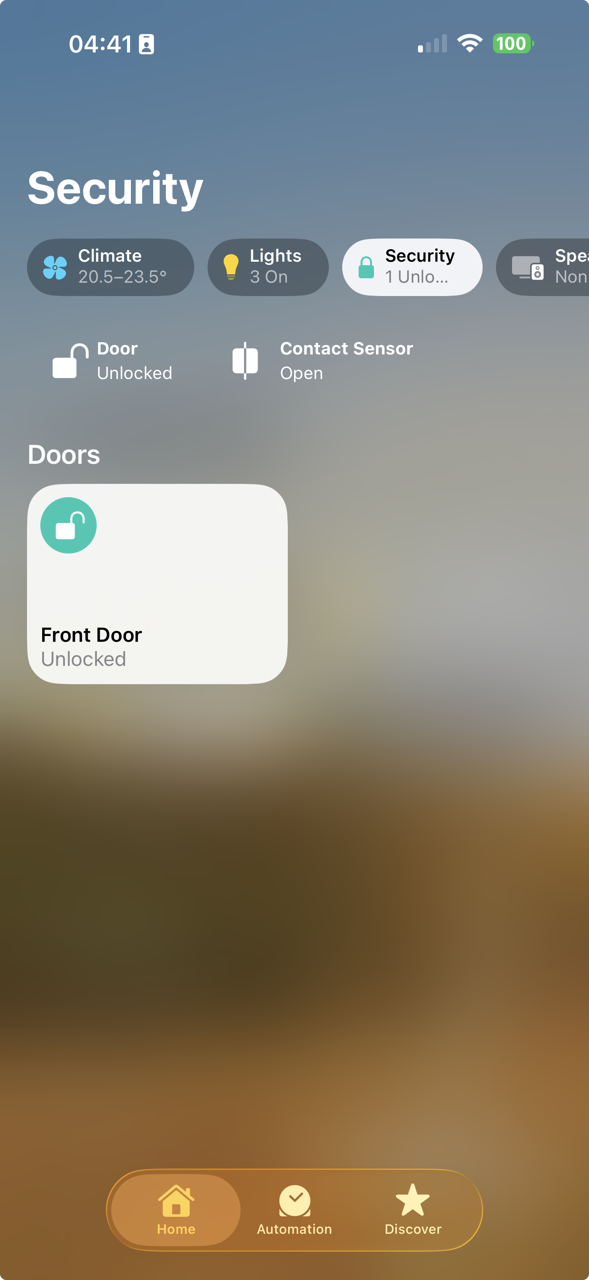
Apple Home treats any Matter-certified Door Lock accessory as a native HomeKit device from iOS 16.1 onwards. No skill, no bridge, no extension. You scan the Matter QR code in the Home app, pick a room, and the lock appears as a tile in your Home view.
The tile has three possible visual states: Locked (filled padlock icon, usually dark), Unlocked (open padlock icon), and Jammed or Unknown (amber or greyed-out state). Tapping the tile either engages the lock (if motorised) or shows a detailed status screen (if monitoring-only). The Lock tile appears alongside your lights, thermostats, cameras and other HomeKit devices.
Voice support via Siri
Once a lock accessory is in your Home, Siri handles it natively. These queries work on any iPhone, iPad, Apple Watch, HomePod or Apple TV signed into your iCloud account:
- “Hey Siri, is the front door locked?” - returns the current state
- “Hey Siri, lock the front door” - works on motorised locks, returns an informational response on monitoring sensors
- “Hey Siri, are any doors unlocked?” - checks every lock in your Home and summarises
These queries require an active internet connection for remote devices (i.e., outside your home Wi-Fi) unless you have a Home Hub - an Apple TV 4K, HomePod mini, or HomePod - connected to your network. The Home Hub acts as the gateway that lets Siri check lock state from anywhere.
Focus Modes and notifications
One of the strongest features Apple Home has that Google and Alexa don't: Focus Modes. You can configure notifications to only come through when a specific Focus is active. For lock sensors, this is useful for quiet but important alerts. Example: set a “Sleep” Focus to suppress all notifications except from the Home app when a door is unlocked after 11pm. Normal night, your phone is silent. Abnormal event, you wake up and know about it.
Apple Home also respects your Home’s “people at home” status when generating automation triggers. If the automation fires on door unlocking but the person unlocking is detected as inside the Home boundary via their iPhone, it can suppress the notification to them while still notifying other family members. This is more nuanced than what Google or Alexa offer natively.
Never forget to lock your doors again.
Locksure fits over the lock you already have and shows its locked or unlocked state on your phone, from anywhere. No drilling, no lock replacement.
See how it works →What you need on your network
Apple Home supports Matter over both Wi-Fi and Thread. For a lock sensor specifically, Thread is strongly preferred because it uses roughly a tenth the power of Wi-Fi - which is the difference between a 3-month battery life and an 18-month battery life on a coin cell.
For any Matter-over-Thread device to work, your home network needs a Thread border router. The good news: if you have any of these devices, you already have one.
- Apple TV 4K (Wi-Fi + Ethernet model, 2021 or later) - includes Thread radio, acts as the Home Hub
- HomePod mini - includes Thread, £99, covers a whole house
- HomePod (2nd gen) - includes Thread
- Nest Hub (2nd gen) - Google device but works as a Thread border router that Apple can use
- Echo 4th gen or Echo Dot 5th gen - same, Amazon device but Thread is cross-platform
- eero 6+, eero Pro 6, eero Max 7 - mesh Wi-Fi routers with Thread built in
If you don't have any of these yet, the cheapest route is a HomePod mini at around £99. It doubles as a Home Hub (for remote access), a Thread border router (for battery-powered Matter devices), and a speaker. For smaller flats or one-bedroom homes, it's the most cost-effective way to get Matter working with Apple Home.
One subtle point: Apple Home in 2026 uses a feature called “Matter multi-admin” which means your lock sensor can be simultaneously shared with Google Home and Alexa without choosing one ecosystem. If your partner uses an Android phone while you use iPhone, you can both see and control the same sensor in your respective apps. This is genuinely new - older HomeKit-only accessories locked you into one platform.
Automations Apple Home users actually build
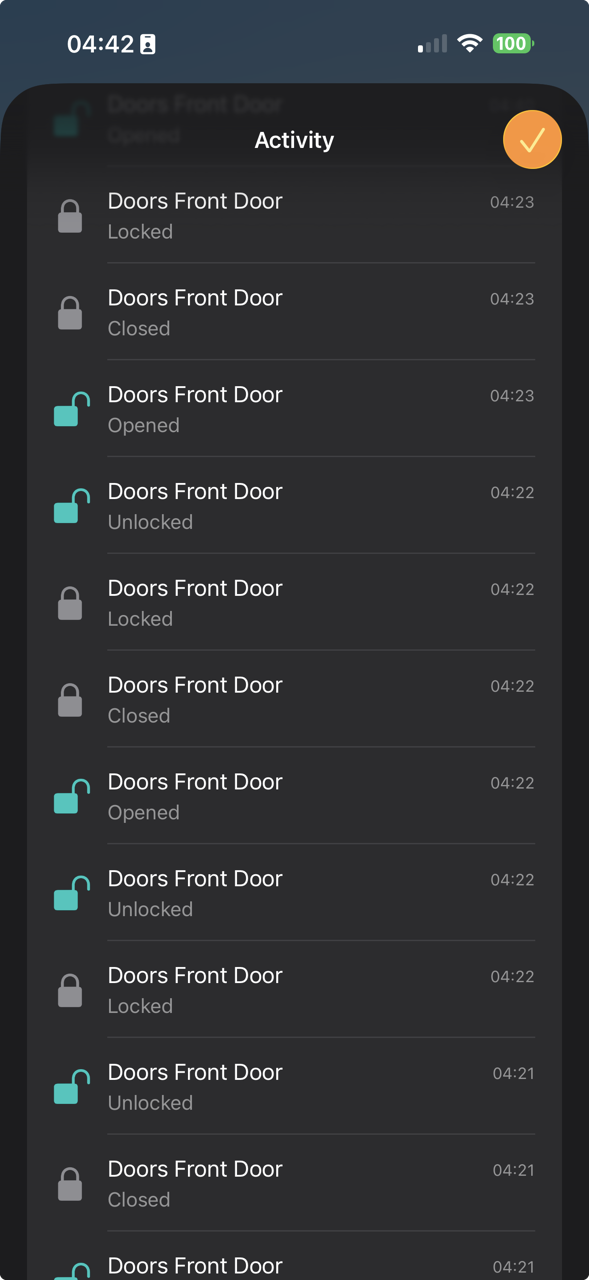
The difference between having a Matter lock sensor and having a useful Matter lock sensor is the automations you build around it. Here are six that our beta testers running Apple Home have settled into - each using both the Lock state and (where a contact sensor is present) the door-position state independently.
Evening lock check
Trigger: 11pm. Condition: lock is unlocked. Action: send notification to your iPhone “Front door still unlocked.” Uses a Home Automation with a time trigger + condition.
Did I lock it?
Trigger: door closed. Condition: lock still unlocked after 3 minutes. Action: push notification. Requires Shortcuts for the 3-min delay logic.
Lights on when unlocked
Trigger: lock becomes unlocked. Condition: it's after sunset. Action: hallway light on at 40%. Native Home app automation.
Quiet night monitoring
Trigger: door unlocked. Condition: Sleep Focus is active. Action: announce on bedroom HomePod “Front door has been opened.” Wakes you for something that matters.
Elderly parent wandering
Trigger: door opens. Condition: it's between 11pm and 6am. Action: notify your iPhone and your sister's iPhone (Home is shared). Used by many dementia-care setups.
Heating off when left open
Trigger: door open. Condition: open for 2 minutes AND heating is on. Action: turn thermostat off. Restarts when door closes. Saves energy.
The most powerful of these is the “door closed but lock still unlocked” recipe - the one that catches the classic “I shut the door but forgot to lock it” mistake. You need both the Door Lock endpoint and the Contact Sensor endpoint in a single device to build this automation cleanly. A standalone contact sensor can't tell you whether the lock is engaged; a standalone smart lock can't reliably tell you whether the door is shut. The Locksure Matter sensor exposes the Door Lock endpoint out of the box, and the Contact Sensor endpoint once you add the optional £9.99 Open/Close Magnet, specifically to make this recipe possible.
What you can actually buy in the UK
Here's the honest picture of UK-available Matter lock accessories for Apple Home as of July 2026.
Matter smart locks (motorised, replace your lock)
- Yale Linus L2 - £249 RRP, Matter over Thread, retrofit design but requires replacing the thumb-turn. Apple Home Matter-ready out of the box.
- Nuki Smart Lock 4.0 Pro - £229 RRP, Matter over Thread via firmware update. Euro-cylinder only, retrofit install over existing cylinder.
- Bold Smart Cylinder - £279 RRP, full cylinder replacement, Matter via firmware. Dutch-origin company, strong UK distribution.
- Aqara Smart Lock U200 - £179 RRP, Matter over Thread, unusual hardware that can work on both deadbolts and euro cylinders.
All four of these are motorised devices that can remotely unlock your door. That's the defining feature they're selling - the ability to unlock from your phone, give temporary access to cleaners or guests, auto-unlock as you approach, etc. If that's what you want, any of the above is viable.
If you don't want motorised remote-unlock - because you're a tenant whose landlord won't allow lock replacement, or because you don't want the attack surface of a motorised lock on your network, or because the cost is too high for the use case (you just want to know whether you locked it) - the UK market has been empty until now.
Matter lock sensors (monitoring-only, retrofit)
This category - devices that attach to your existing lock and report state without replacing anything - had no UK products until the Locksure Matter Lock Sensor started shipping.
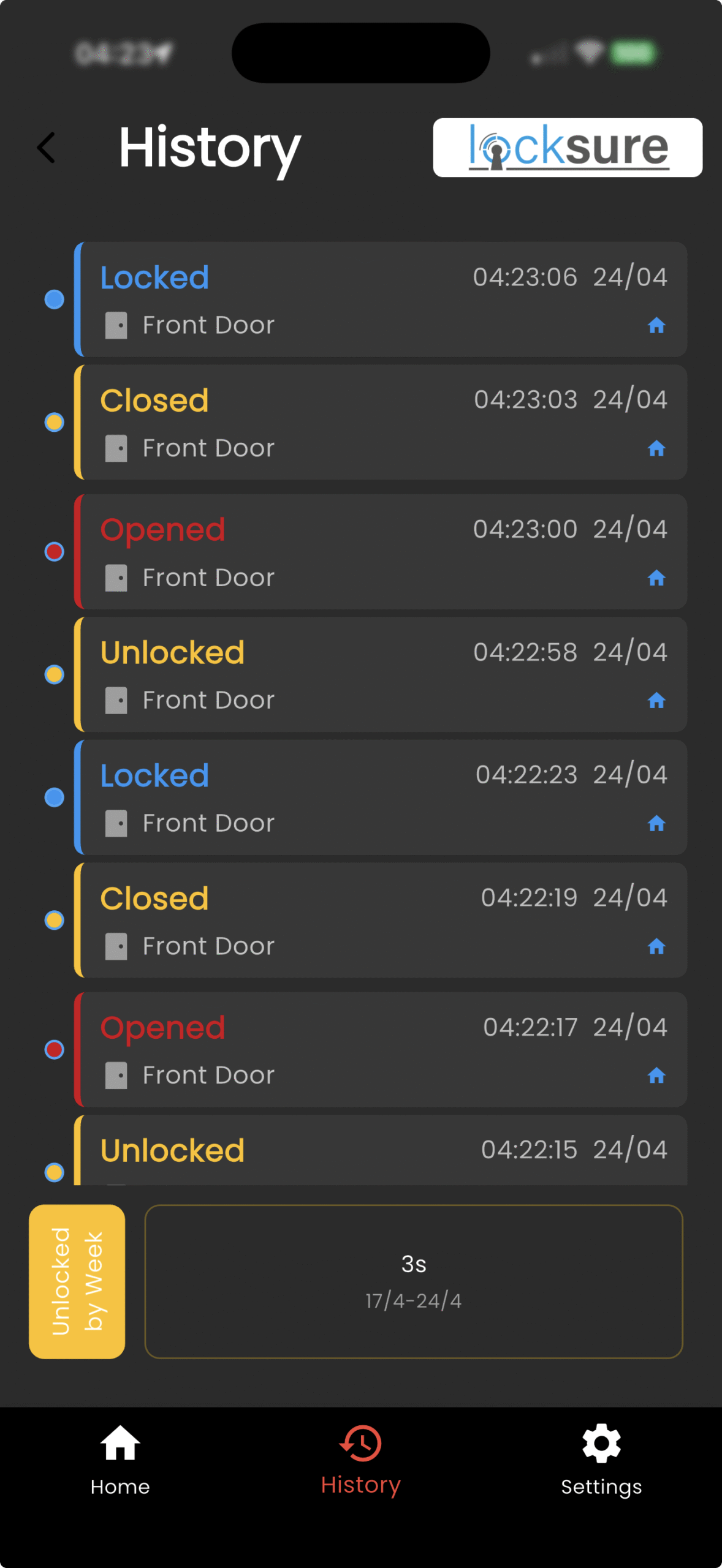
The two variants are the Thumb Turn version, £59.99 for doors with an internal thumb-turn, and the Key Turn version, £79.99 (two sensors for keyed-both-sides doors), for euro-cylinder locks turned with a key. Both attach with adhesive, both run 18 months on a single CR2032, and both expose a Door Lock endpoint to Apple Home out of the box. Door open/close reporting via the Contact Sensor endpoint needs the optional £9.99 Open/Close Magnet.
The retrofit Matter lock sensor, shipping now
Lock state plus optional door open/close from one Matter device on your existing euro cylinder. Works with Apple Home, Siri and Focus Modes. 18-month CR2032 battery, 5-minute install, monitoring only by design. From £59.99.
Common questions
Does Apple Home work without a Home Hub?
For local control (when you're at home, on your Wi-Fi) yes - you can add and control accessories from your iPhone directly. For remote access (checking lock status from outside your home), you need a Home Hub on your network: Apple TV 4K, HomePod mini, or HomePod. Without one, you can't ask Siri “is the front door locked?” when you're away from the house.
What's the difference between HomeKit and Matter in Apple Home?
HomeKit is Apple's original smart home protocol (2014). Matter (2022) is a cross-platform standard. From a user's perspective in the Home app, there's no difference - both appear the same way in the same interface. The difference matters to manufacturers: a HomeKit-only product works only with Apple, while a Matter product works simultaneously with Apple, Google, Amazon and Samsung.
Can a Matter lock sensor work with HomeKit Secure Video cameras?
Yes. Any HomeKit-compatible camera (Aqara, Logitech Circle View, Eve Cam, etc.) can be triggered by Matter lock events. A common setup: front-door camera starts recording when the lock state changes to unlocked while you're not home. All handled in the Home app's Automation section.
Do Matter lock sensors need an Apple-specific hub?
No. A Thread border router is required for Matter-over-Thread devices like lock sensors, but the Thread border router doesn't need to be Apple. An Echo 4th gen (Amazon), Nest Hub 2 (Google) or eero 6+ (Amazon) can work with Apple Home-commissioned Matter devices. You still need an Apple hardware Home Hub (HomePod or Apple TV) for Thread and for remote access, that's a separate role.