

Home Assistant Matter lock sensor: the technical guide
If you're running Home Assistant and want proper lock-state monitoring on an existing lock - not another motorised smart-lock replacement - the options are narrow. Here's what Matter changes, what entities to expect, and YAML examples for the automations HA users actually want.
Home Assistant has supported Matter natively since version 2023.12 via the matter integration. A Matter Door Lock device exposes a lock. entity in HA; a Contact Sensor exposes a binary_sensor. entity. The Locksure Matter Lock Sensor gives you the lock. entity out of the box; the binary_sensor. door-contact entity only appears once you add the optional £9.99 Open/Close Magnet.
You'll need a Thread border router (Home Assistant Yellow, Home Assistant Green, SkyConnect USB stick, or a third-party one already on your network) plus the Matter Server add-on. Both ship in Home Assistant OS by default.
Home Assistant users tend to fall into two camps on the lock question. One camp wants full smart-lock actuation - motors, remote unlock, temporary PIN codes for cleaners, all of it - and HA integrations for Yale, Nuki, August, and Schlage cover that well. The other camp wants the monitoring half without the motor: does the door exist in a secure state, yes or no, and notify me if not. This camp has been badly served by the smart-lock market, because every hardware maker is selling the motor.
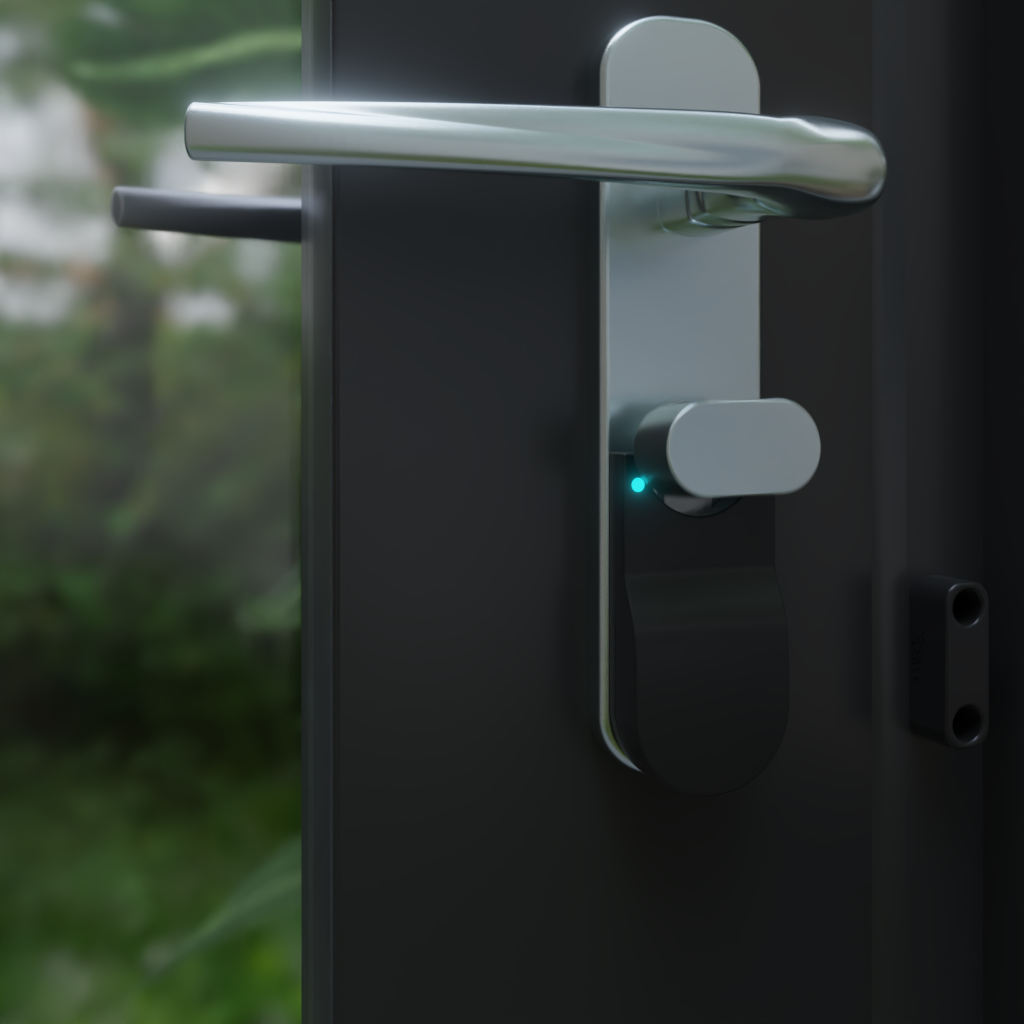
Matter changed the protocol picture - any Matter lock device now works in HA without a vendor-specific integration - but for a long time it didn't change the product picture, because there were no monitoring-only retrofit Matter devices. The Locksure Matter Lock Sensor is now shipping as the first of that category; this post explains how to integrate it into a Home Assistant setup, with the YAML for the automations HA users typically want.
Prerequisites for Matter in Home Assistant
Home Assistant's Matter support is implemented via the Matter Server add-on, which is pre-installed on Home Assistant OS and Home Assistant Supervised. If you're running HA Container or Core, you'll need to install the Matter Server separately. This is documented in the official HA docs, but in short: it's an extra piece of software that HA uses to commission and communicate with Matter devices on your network.
For Matter-over-Thread devices specifically - which is what all the battery-powered sensors use, including ours - you also need a Thread border router. Your options:
- Home Assistant Yellow - £149, includes a CC2652 Thread radio, most HA-native option
- Home Assistant Green - £99 base, add a SkyConnect USB stick (£29) for Thread
- SkyConnect USB stick on any HA install - the cheapest add-on Thread option at £29, plugs into any HA host
- Existing Thread border router - if you have an Apple TV 4K, HomePod mini, Nest Hub 2, Echo 4th gen, or eero 6+, HA can use them. The Thread mesh is shared across ecosystems.
If you don't already have a Thread border router of any kind, the cheapest genuinely HA-first option is to add a SkyConnect USB stick to whatever machine runs HA. It gives you both Thread and Zigbee in one dongle, which is often what HA users eventually want anyway.
Commissioning a Matter lock sensor
Once the Matter Server is running and a Thread border router is on the network, adding a device is straightforward. In the Home Assistant UI, go to Settings → Devices & Services, click Add Integration if the Matter integration isn't already there, then use the “Add device” flow within Matter to scan the Matter QR code. Commissioning takes about 30 seconds.
For the Locksure Matter Lock Sensor, this will produce the lock. entity under one device. If you name the device “Front Door” during commissioning, you'll end up with:
lock.front_door              # Lock state: locked / unlocked
binary_sensor.front_door_contact  # Door position: on (open) / off (closed) - needs the optional £9.99 Open/Close Magnet
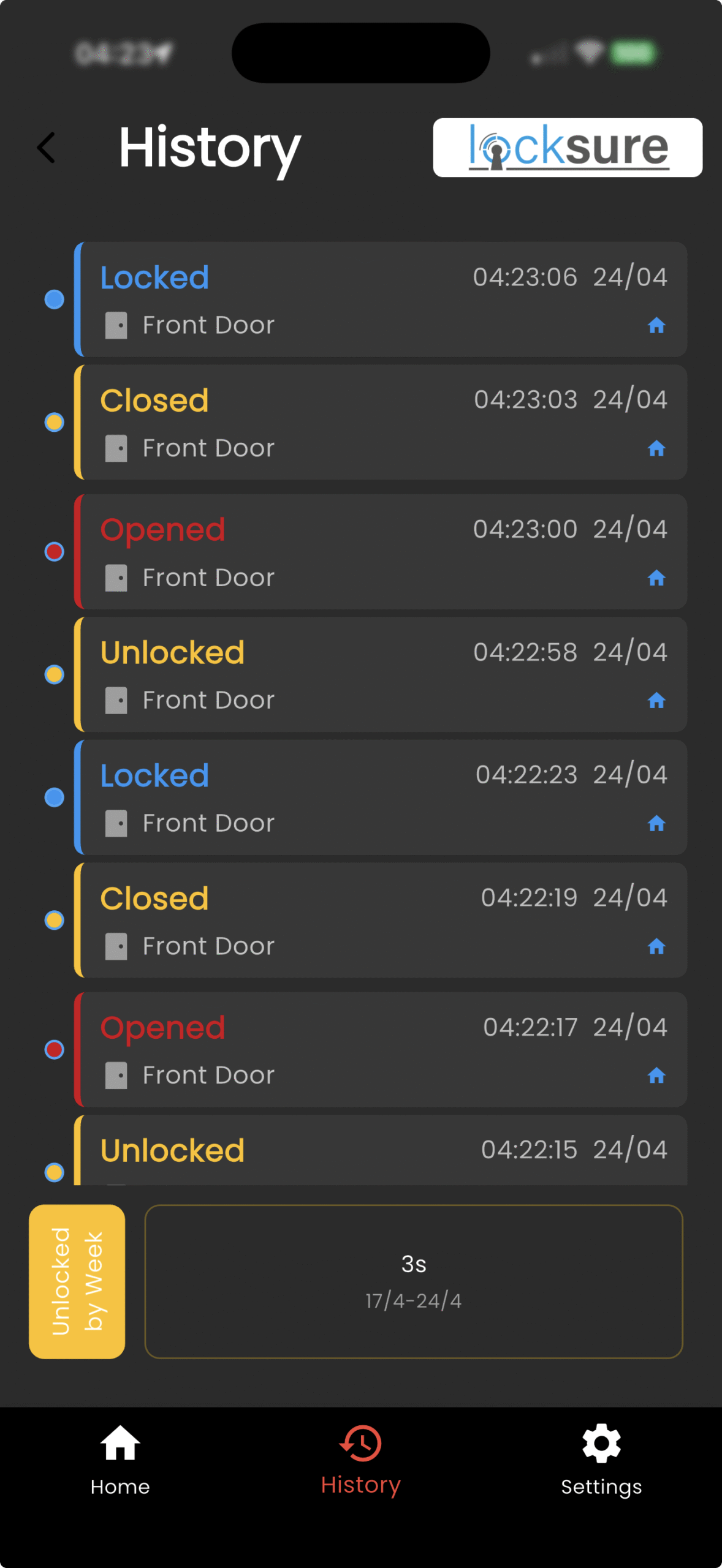
The binary_sensor. entity only appears once the optional £9.99 Open/Close Magnet is fitted; without it you get the lock entity alone. With both fitted, the entities are fully independent and fully scriptable, and you can build automations that trigger on either, both, or a combination - which is where Home Assistant's flexibility starts to show compared to Apple Home or Google Home.
Never forget to lock your doors again.
Locksure fits over the lock you already have and shows its locked or unlocked state on your phone, from anywhere. No drilling, no lock replacement.
See how it works →YAML examples for common automations
Here are four automations that Home Assistant users running our beta sensor have built, shown as YAML you can drop straight into your automations.yaml file or create through the UI. All of these assume the entity names from the commissioning above.
1. Alert if door closed but not locked within 5 minutes
The single most-requested automation from beta users. Catches the “shut the door on the way out but forgot the key” mistake. Uses a delay to avoid firing during the normal “close the door, turn around, lock it” sequence.
- alias: Front door closed but not locked
  trigger:
    - platform: state
      entity_id: binary_sensor.front_door_contact
      to: "off"  # door closed
      for:
        minutes: 5
  condition:
    - condition: state
      entity_id: lock.front_door
      state: unlocked
  action:
    - service: notify.pushover_primary
      data:
        title: "Front door unlocked"
        message: "Closed 5 min ago, still unlocked."
2. Log every lock event to InfluxDB
HA users running InfluxDB for long-term sensor history can pipe lock-state changes straight into their time-series database. Useful for audit trails, noticing patterns (“the house was unlocked for 3 hours yesterday afternoon, why?”), or building Grafana dashboards.
influxdb:
  host: 192.168.1.50
  port: 8086
  database: home_assistant
  include:
    entities:
      - lock.front_door
      - binary_sensor.front_door_contact
3. Bedtime reminder if lock not engaged
Time-triggered check at 11pm. If the lock isn't engaged, send a one-tap notification that links to the HA dashboard so you can check the camera or the room before going to bed. Uses HA's actionable notifications - press “Ignore” to dismiss, press the notification body to open the HA app on the relevant view.
- alias: Bedtime lock check
  trigger:
    - platform: time
      at: "23:00:00"
  condition:
    - condition: state
      entity_id: lock.front_door
      state: unlocked
  action:
    - service: notify.mobile_app_pixel
      data:
        title: "Bedtime check"
        message: "Front door is still unlocked."
        data:
          actions:
            - action: dismiss
              title: "Ignore"
4. Slam detection (noise-complaint alert for teenagers)
Fires when the door state changes more than 4 times within 60 seconds. Useful if you want to know about repeated slamming without actually listening for it. Uses a counter entity to track the event rate.
- alias: Door slam detection
  trigger:
    - platform: state
      entity_id: binary_sensor.front_door_contact
  action:
    - service: counter.increment
      target:
        entity_id: counter.door_events_1min
    - service: counter.reset
      target:
        entity_id: counter.door_events_1min
      delay:
        seconds: 60
    - condition: numeric_state
      entity_id: counter.door_events_1min
      above: 4
    - service: notify.family
      data:
        message: "Door slammed 4+ times in 60s."
All four of these rely specifically on having both the lock. and binary_sensor. entities available from a single device. A contact sensor on its own gives you door events; a smart lock gives you lock events; only a device that exposes both can cleanly express “door closed but still unlocked” or “doors opening late at night while lock was untouched.”
Monitoring-only, by design
HA users tend to think hard about attack surface - it's part of why many of us run HA in the first place, rather than trusting cloud-dependent vendor apps. A motorised smart lock is a physical device on your home network that is capable of unlocking your front door. In the worst case, any vulnerability in the lock's firmware, its Matter stack, its cloud integration, or your HA installation itself translates into an “someone can physically get into my house” event.
The Locksure Matter Lock Sensor deliberately does not participate in this threat model. It exposes a Matter Door Lock endpoint in monitoring mode only - it reports state but cannot be commanded to actuate. There is no motor. There is no remote unlock command on the Matter schema. There is no physical mechanism inside the device that can move the lock. The sensor is a read-only peripheral that watches your existing mechanical lock and reports what it sees.
For HA users who want lock visibility without putting a motorised lock on their Matter network, this is a different kind of device than anything else in the category. For HA users who genuinely need motorised remote unlock - legitimate use cases exist - Yale, Nuki, Aqara, and Bold have Matter-compatible products that do that.
The retrofit Matter lock sensor, shipping now
Lock state plus optional door open/close from one Matter device on your existing euro cylinder. Works with Home Assistant over Matter, clean lock. and binary_sensor. entities. 18-month CR2032 battery, 5-minute install, monitoring only by design. From £59.99.
Common questions
Does Home Assistant need to be on the same network as the Thread border router?
Yes, the Thread border router needs to be reachable from your HA host over the local network, because HA's Matter Server communicates with the Matter device through the border router's mesh. In practice this means your HA host and your border router should be on the same VLAN/subnet. If you're segmenting smart-home devices onto their own VLAN (sensible for security), make sure the HA host is able to reach that VLAN for Matter discovery traffic.
Can HA share the lock sensor with Apple Home and Google Home at the same time?
Yes. Matter's multi-admin feature allows a single device to be commissioned to multiple controllers simultaneously. Once commissioned into HA, you can generate a pairing code from the HA Matter integration and use that to also add the device to Apple Home and Google Home. All three platforms then see the device independently. This is useful if you want your HA automations to be authoritative while still having a consumer-app fallback.
Do Matter devices work offline?
Mostly yes. Matter over Thread is fully local - the sensor talks to the Thread border router, which talks to the Matter Server on HA, all over your LAN with no internet involvement. State changes, automations, and local notifications (like HA push notifications to HA mobile apps) continue to work during an internet outage. Only services that require internet - Pushover, SMS via Twilio, remote access via Nabu Casa - break.
What HA version is required for the Matter integration?
Home Assistant 2023.12 or later. Matter support is still being actively developed in HA - newer releases add more device types, improve commissioning reliability, and fix edge cases. We recommend running a reasonably current HA version (2025.x or later) for the best Matter experience. The Matter Server add-on is updated independently of core HA and is on a faster release cadence.